
Old film cameras printed the date in orange in the corner. Phones don't: they save the date as a hidden detail instead, which most people never see and which disappears when a photo is shared through an app. For work records, inspections, deliveries and evidence, a visible stamp is far more useful.
Can my phone's camera add a timestamp?
iPhone: no. The Camera app has no date-stamp option; the date is only stored in the photo's details.
Android: some phones can. Look in the camera's settings for a Watermark option; many Xiaomi phones, for example, can add the time. Many others, including Pixel phones, can't.
Either way, a built-in stamp uses the phone's own clock, which anyone can change in Settings.
Adding a stamp after the photo was taken
Photo editors and "date stamp" apps can write a date onto a picture you've already taken. That's fine for holiday albums, but it proves nothing: the date can be typed in by hand or changed first. For anything that might be questioned, the stamp has to be added at the moment of capture, from a time the photographer can't change.
Add a trusted timestamp with Timesnap
- Install Timesnap from the App Store or Google Play and open it.
- Allow camera and location access, so the address can be added.
- Take a photo or a video. The date, time, day and address are drawn onto it as you shoot; on videos, the clock ticks on every frame.
- The photo is saved to your phone's gallery, with its verification code on the stamp.
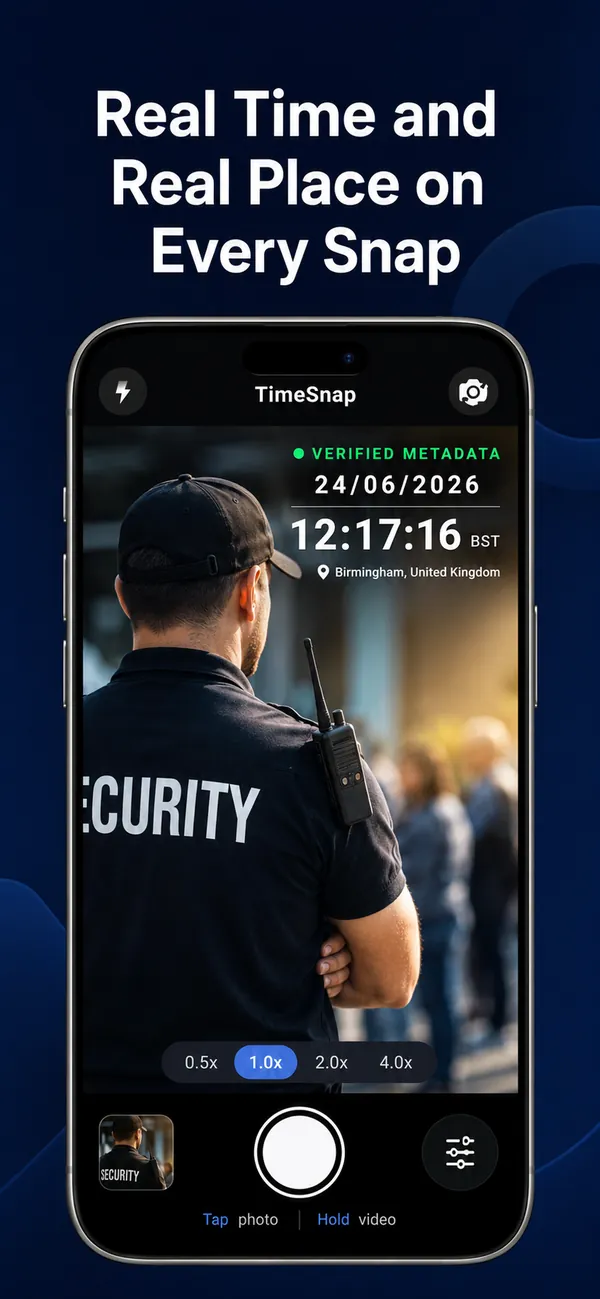
The time comes from internet time servers (and, on Android, GPS satellites too), not from the phone's clock, so changing the phone's date or time doesn't change the stamp. Once Timesnap has the correct time it keeps it, even in airplane mode. If it can't be sure, for example after the phone restarts with no connection, it asks you to go online before it stamps, rather than guessing.
Choosing the stamp's look
In Timesnap's settings you can choose 12- or 24-hour time, day-first or month-first dates, and the stamp's font, colour and size. Timesnap Pro adds the stamp studio: designs for different jobs, your own logo, a small map, the weather, and a choice of nearby addresses.
Why a printed stamp beats hidden details
- Everyone sees it at a glance, without opening anything.
- It survives screenshots, WhatsApp and email, which strip hidden details.
- It can't be removed without visibly damaging the photo, and with Timesnap, any change to the photo shows in red when it's checked.
 Take photos with the real time and place on them: get the free Timesnap camera.